
IntervalTimer Duo

Control Without Clicking.

Desktop Interval Timer with Global Shortcuts

Start, pause, and reset your timer from any app with keyboard shortcuts.

Free to Download · 14-Day Premium Trial

Free forever for the basics · $2.99 one-time unlocks Premium · No subscription

Universal Purchase: Buy once, use on both iPhone and Mac
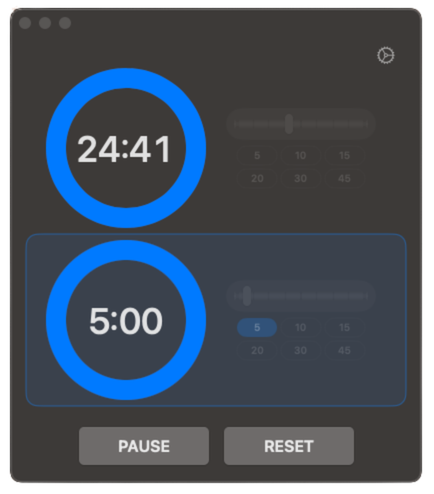
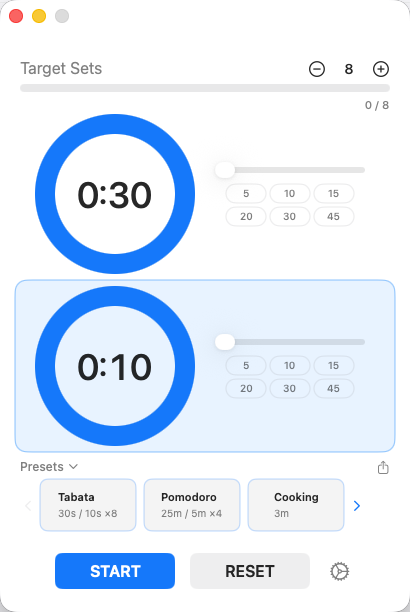
IntervalTimer Duo macOS App Screenshot

Built for Desktop Productivity

⌨️

Global Keyboard Shortcuts — Premium

Control your timer from any application without switching windows. Start, pause, and reset with customizable hotkeys.

⌃⌥Space to Start/Pause
📐

Compact Mode — Premium

A minimal window shows just the timer. Toggle with ⌃⌥M. The window resizes automatically when you collapse the presets section.

🎯

Set Counter — Premium

Define a target number of sets and watch your progress. Get a celebration when you hit your goal.

🔗

Preset Sharing — Premium

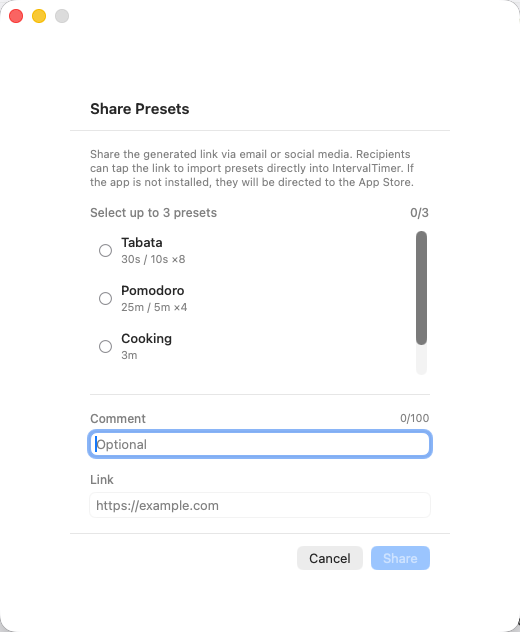
Share your favorite timer setups via link. Recipients import with a single click.

📌

Always on Top

Keep the timer window floating above all other windows. Never lose track of your intervals.

🔲

Adjustable Opacity — Premium

Make the timer window semi-transparent so it doesn't block your work while staying visible.

🎨

Theme Support

Light, Dark, or System theme. Matches your macOS appearance preferences automatically.
Perfect For Every Activity

💪

HIIT & Fitness

Alternate between high-intensity work and rest periods automatically.

30s work / 10s rest
🍅

Pomodoro Technique

Focus deeply, then take breaks. The perfect productivity companion.

25min work / 5min break
💻

Coding Sessions

Time your focused coding sessions and regular breaks to stay sharp.

50min code / 10min break
📚

Study & Learning

Structure your study sessions with timed intervals for better retention.

45min study / 15min rest

All Features

⏱️

Dual Timer System

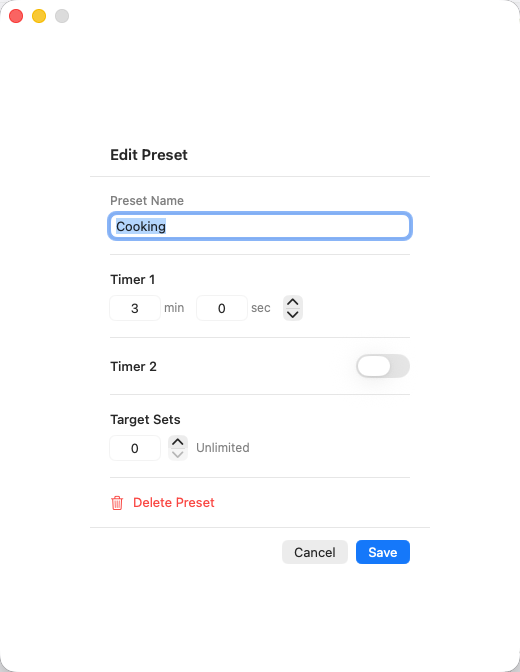
Two independent timers that automatically alternate. Timer duration from 1 minute to 60 minutes via the slider, with custom values down to 1 second available via direct text input or the preset editor.

📋

Presets

Save your favorite timer combinations. Free includes the built-in HIIT preset; Premium unlocks every built-in preset and lets you create unlimited presets.

🔗

Preset Sharing

Share timer setups via link. Recipients import with a single click — perfect for trainers and study partners.

🎯

Set Counter

Set a target number of sets and watch your progress. A celebration plays when you reach your goal.

🔔

6 Alert Sounds

Choose from 6 notification sounds. Set different sounds for each timer (4 of 6 require Premium).

🔊

Volume Control

Adjust alert volume independently. Perfect for quiet environments or shared spaces.

🌐

Multi-Language

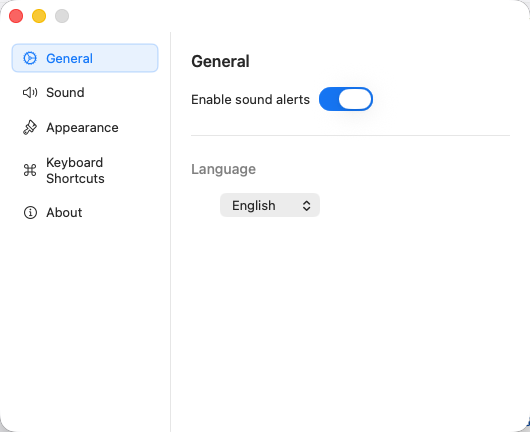
Available in English, Japanese, French, and German.

🔄

Optional Single Timer

Disable Timer 2 to use as a simple single interval timer.

💾

Persistent Settings

Your timer durations and preferences are saved automatically.

Platform Features

macOS Features

  • Always on Top Option
  • Light/Dark/System Theme
  • Global Keyboard Shortcuts — Premium
  • Compact Mode (⌃⌥M) — Premium
  • Adjustable Window Opacity (scroll wheel) — Premium
  • Set Counter — Premium
  • Preset Sharing — Premium

iOS Features

  • Haptic Feedback
  • iPhone & iPad Optimized
  • Lock Screen Live Activity — Premium
  • Dynamic Island Support — Premium

Free to Start. Pay Once for Premium.

Download free and use the dual-timer experience as long as you like. Unlock global shortcuts, compact mode, set counter, and the rest with a single $2.99 purchase — no subscription, ever.

Free

$0
Use the basics forever.
  • Two alternating timers
  • 1 built-in preset (HIIT)
  • 2 alert sounds (Decision / Warning)
  • Always on top
  • Receive shared presets via link (first preset slot only)
One-Time

Premium

$2.99
Pay once, unlock everything forever. No subscription. No recurring fees.
  • Everything in Free
  • Global keyboard shortcuts
  • Compact mode (⌃⌥M / Ctrl+Option+M)
  • Adjustable window opacity
  • Set counter & target sets
  • Preset sharing (send) & unlimited presets
  • All 6 alert sounds
  • Universal purchase (iOS + macOS)
  • All future updates
Download on the Mac App Store

14-day Premium trial included on first launch

Frequently Asked Questions

Is it really free?

Yes. Download for free and use the two alternating timers, the built-in HIIT preset, basic alert sounds, and always-on-top for as long as you like — no subscription. Premium ($2.99 one-time) unlocks global keyboard shortcuts, compact mode (⌃⌥M), window opacity, set counter, preset sharing, all 6 sounds, and unlimited presets (including the other built-in presets).

What's the 14-day Premium trial?

When you install the app, every Premium feature is unlocked for 14 days so you can try them in real workouts and work sessions. After the trial the basics keep working forever — only Premium features lock until you make the one-time $2.99 purchase. Existing paying customers are automatically recognised.

Can I control the timer with keyboard shortcuts?

Yes (Premium). Global keyboard shortcuts work from any application, so you can start, stop, and reset timers without switching windows. Compact mode toggles with ⌃⌥M (Ctrl+Option+M).

What is Compact Mode?

Compact Mode (Premium) shrinks the timer to a minimal window that stays on top of other windows. Toggle with ⌃⌥M (Ctrl+Option+M). The window also resizes automatically when you collapse the presets section.

How does preset sharing work?

Premium users can share any preset as a link via the share button. Send it through Messages, Mail, or any app. Recipients (free or Premium) click the link and the preset is imported with one click. Perfect for trainers, study groups, and anyone running the same routine.

Does the purchase include both iOS and Mac?

Yes. Premium is a universal purchase. Buy once for $2.99 and use it on both iPhone and Mac.

Can I adjust window transparency?

Yes (Premium). You can adjust window opacity via a slider in settings or by scrolling your mouse wheel over the timer window for quick, intuitive adjustments.

Collaboration

Calling All Content Creators

Are you a fitness trainer, YouTuber, or content creator who uses interval timers for HIIT, Pomodoro, workouts, or study sessions?

We'd love to collaborate! We offer free promo codes to creators who feature IntervalTimer Duo in their videos or social media posts.

🎥 YouTube 📷 Instagram 🎵 TikTok 📝 Blog
Get in Touch

Get Your Desktop Interval Timer

Download free and try every Premium feature for 14 days. Whether you stay free or unlock Premium, there's no subscription — ever.

Free Download · 14-Day Premium Trial
Download on the Mac App Store

Free forever for the basics · $2.99 one-time unlocks Premium